
Via FOXMAN-UN ESM
As an alternative, FU SW can be upgraded via the FOXMAN-UN ESM. To upgrade the SW of a SENC1, make sure the SW to be installed is available in the “ESW” folder of DIRAC (/opt/dirac/addon/ESW).
This operation needs to be done on FU level, and therefore can be performed in the FU View, either in the list view or in the FU detailed view.
Once unit has a valid IP address (configured on the unit in the node via FOXCST), the operation can be performed.

FU View - location of the “Install Software” button for several FUs
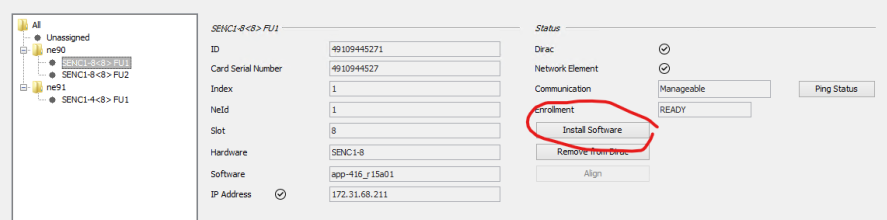
FU Details View - location of the “Install Software” button for one FU
The first time you click on the button, you will see you have no softwares available:
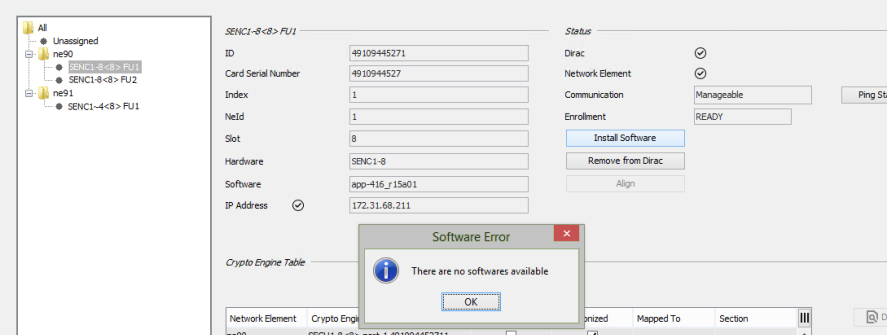
FU View message of missing SW
In order to upgrade SENC1 SW, you need to provide released SW to the DIRAC system.
This is done by means of
• importing SENC1 software to the FOXMAN-UN database via the ESW Distribution Wizard or
• copying selected SW to the DIRAC server, inside the folder
/opt/dirac/addon/ESW as dirac user; please copy the provided SW, i.e., the application tar file “app-416_xxxx.tar” to the specified folder.
/opt/dirac/addon/ESW as dirac user; please copy the provided SW, i.e., the application tar file “app-416_xxxx.tar” to the specified folder.
Once done, the application software tars will be available for the upgrade procedure of any FU in the system:
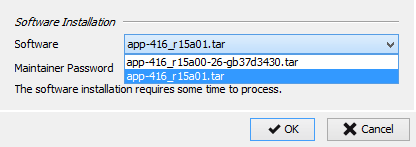
Selection of SW to be installed
Please select required SW and provide maintainer password of the related FU.
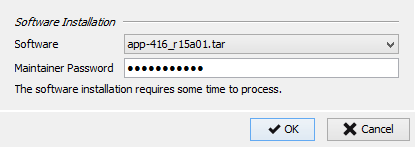
Enter Password for Maintainer
Click on the OK button.
The operation is composed mainly of 2 steps:
• Copying SW upgrade tar file to FU,
• Installing SW.
The overall procedure can take between 1 and 5 minutes, depending on the network speed.
Once the SW is downloaded and the SW upgrade starts, you will see a message window: The SW upgrade will start and eventually the FU will be restarted.
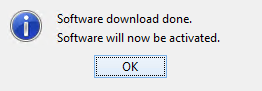
SW Download Confirmation
The FU will appear as “not manageable” in the FU View (“Communication” field) for some time. After the unit is restarted, new SW will be automatically detected and updated on the FU shown data.
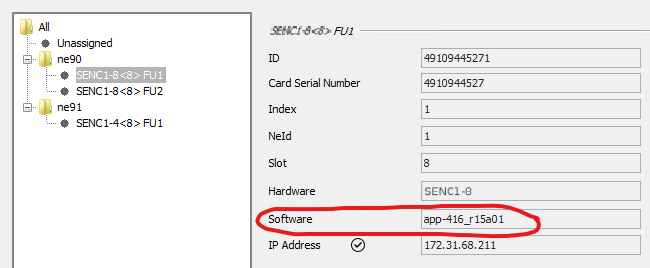
FU Status after successful SW installation

Please note:
The “Install Software” process will just download the file and rename it in order to start the upgrade. If the upgrade was successful you will see the new SW in the ESM FU View. If it was not successful you will still see the old SW. No error message will be issued.