
Print/Export Menu/Options
The Print/Export menu is called by right-clicking on the icon  located at the edge of a Table list as shown in the sample below:
located at the edge of a Table list as shown in the sample below:
The Print/Export menu
The Print Options pop-up window allows to adjust the print output, to preview and to print the selected Table list.
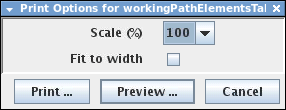
Print Options
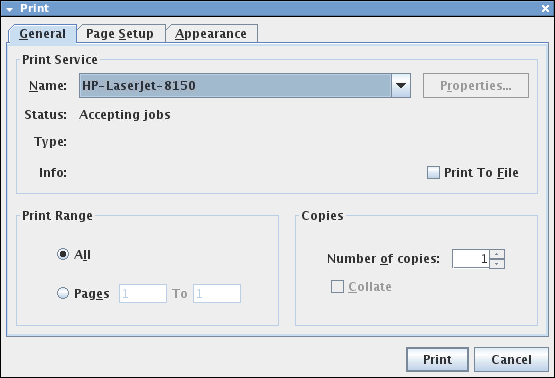
Print Service Set Up
The General Tab’s “Print Service” menu allows you to select the Printer from the list of configured printers in your Linux system (System > Administration > Printing).
The Export menu allows to save the selected Table list in csv or xml format in the server directory. It is possible to open the csv file with Windows excel.
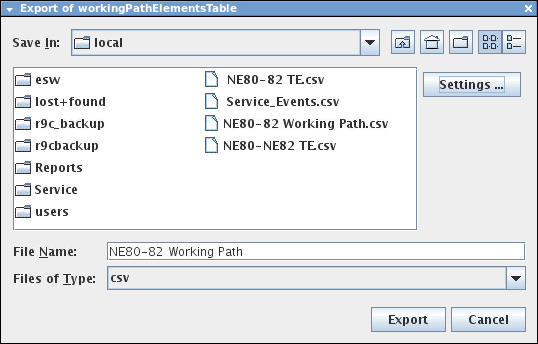
Export sub-menu
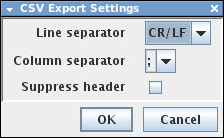
CSV Export Settings
The resulting Print and Export outputs are shown in the screenshots below:

Print Selected Transport Entity: Working Path

Export Selected Transport Entity: Working Path