
Automatic Routing Parameters
The Set Routing Parameter dialog is called via NP Main Window > Options > «Set Auto Routing Parameters…»
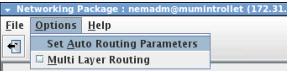
Call Set Auto Routing Parameters dialog
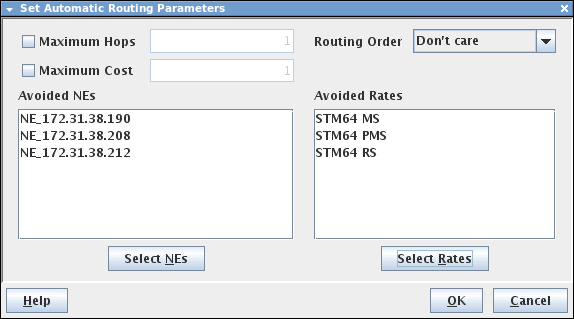
Setting the Routing Parameters
Maximum Hops | Allows the selection of the number of hops within a path. The route should not exceed specified value. |
Maximum Cost | Allows to define the maximum cost as routing criteria for the TE. The cost of the route should not exceed specified value. |
Routing Order | The path should follow an optimization as follows: - Shortest, - Cheapest. |
Avoided NEs | Allows to specify Network Element(s) through which the routing is not allowed. Note: To make sure that “Avoided NEs” is also considering intermediate NEs of found trails to be avoided when routing topological TEs, and not only A-End and Z-End NEs of found trails, add the parameter “np_use_topote_in_avoidne_check” with option “true” to the file /opt/nem/etc/np.conf. The NP service (nem-np-networkmgr.service) needs to be restarted for this option to take effect. |
Avoided Rates | Allows to specify Layer Rates of Trail through which the routing is not allowed. |