Main GUI Status Indications
The most demanding task of FOXMAN-UN NP is to keep the network configuration up-to-date with the network elements configurations. This is in particular the case when concurrent users are doing changes with multiple networking instances or changes to the network element directly via FOXCST or UCST.
Due to the nature of concurrent changes (race condition when changes common objects) in the NE and NP, the desynchronization of NP Data with BP /NE Data cannot be avoided.
To easily detect these situations, the following visual indications on the Main NP User interface are implemented:
Out of Synch indication:
− NP/BP Databases are desynchronized or the NP is waiting for network element configuration change confirmations.
− The NP User has to run “npresynch”.

Pending Changes indication:
− Indicates the number of pending changes or downloads of changes to the NE(s).
− The NP User has to wait until all the pending changes indications are cleared before he can continue with Application Edit.

Refresh of the Filter List indication:
The “Refresh Filter List” button becomes active when
− the object download is terminated, the “Pending Changes” indication cleared. This indicates that the changes caused updates in the database;
− BP trail information changes e.g. creation/deletion of TDM cross connection via FOXCST/UCST.

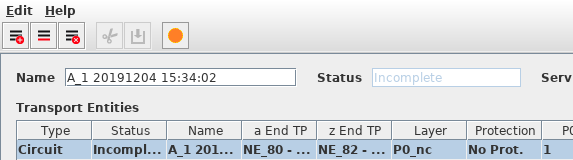
Conflict State indication (Application window)
− An orange-colored bullet icon indicates that there is a conflict during creation or editing of an application. The last conflict state is indicated when clicking on the colored icon.