UCST Add-on Installation

Please note:
Whether you need the UCST Add-on or not depends on the types of nodes you need to manage in your network. If you have nodes from the FOX51x product family in your network, and you want to configure parameters for the FOX51x nodes you need to install this Add-on.
If you are not operating any FOX51x nodes you don’t need this Add-on.
The UCST Add-on for the FOXMAN-UN Client is installed with a separate Add-on installer. It can only be installed after the FOXMAN-UN Client installation.
Please note:
UCST is provided in two versions:
• a UCST standalone application for Windows®, and
• a UCST Add-on for the FOXMAN-UN Client on Windows®.
If you require both versions, you need to install them separately.
→ For the installation of the UCST standalone for Windows® refer to the FOX51x documentation.
To start with the UCST Add-on installation, run the Add-on installer:
• FOXMAN-UN_18.0.0_UCST.exe
Please note:
The UCST Add-on installer installs the UCST version 18.0.0. The UCST add-on to the FOXMAN-UN Client on Windows® version 18.0.0 does no longer need a license key.
This will start the UCST Add-on Setup Wizard.
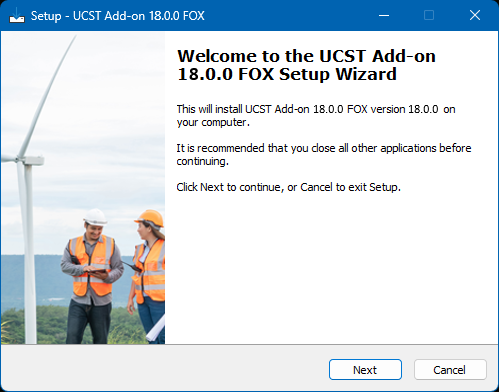
Click “Next” to verify the installation folder:
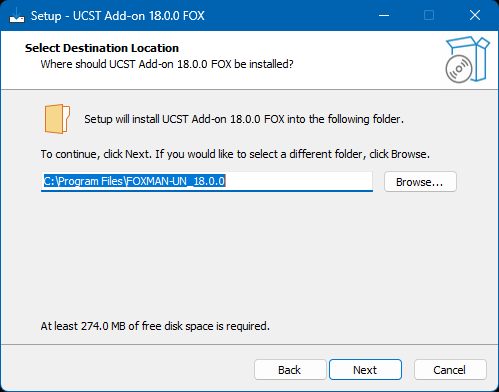
Click “Next” to view a confirmation of the destination location (installation folder).
Please note:
This must be the same folder that was used for installing the FOXMAN-UN_18.0.0, the default being C:\Program Files\FOXMAN-UN_18.0.0.
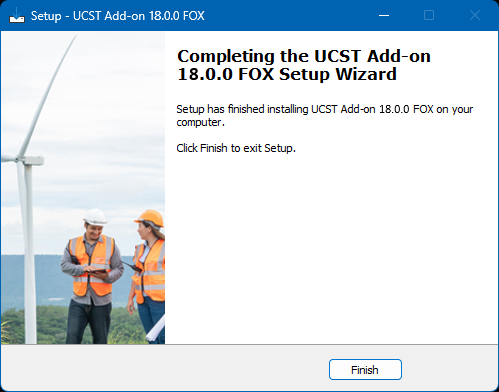
Click “Install” to start with the installation. This will install the UCST Add-on, showing the installation progress with a green bar. Once finished, the completion of the installation is to be confirmed by clicking on the “Finish” button: