
OpenScap hardening
As root user, start SCAP Workbench:
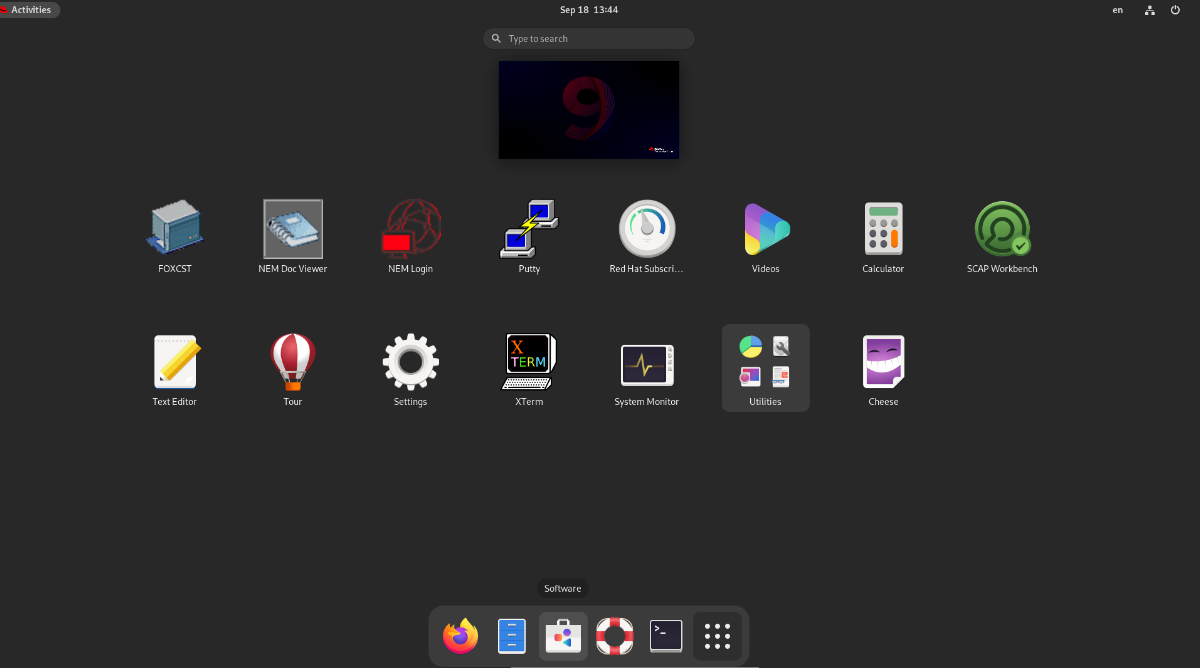
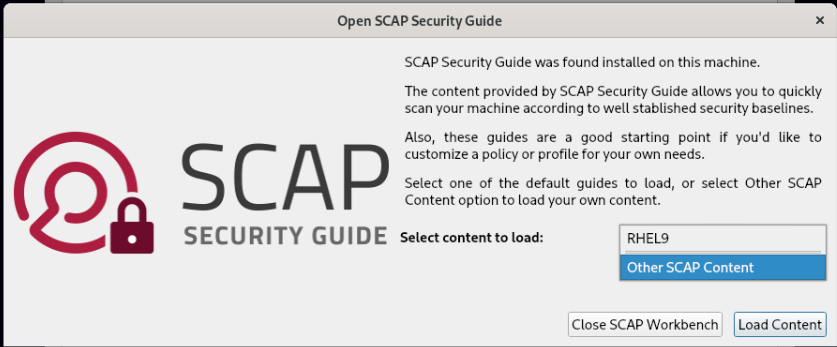
Select Other Content and then navigate to:
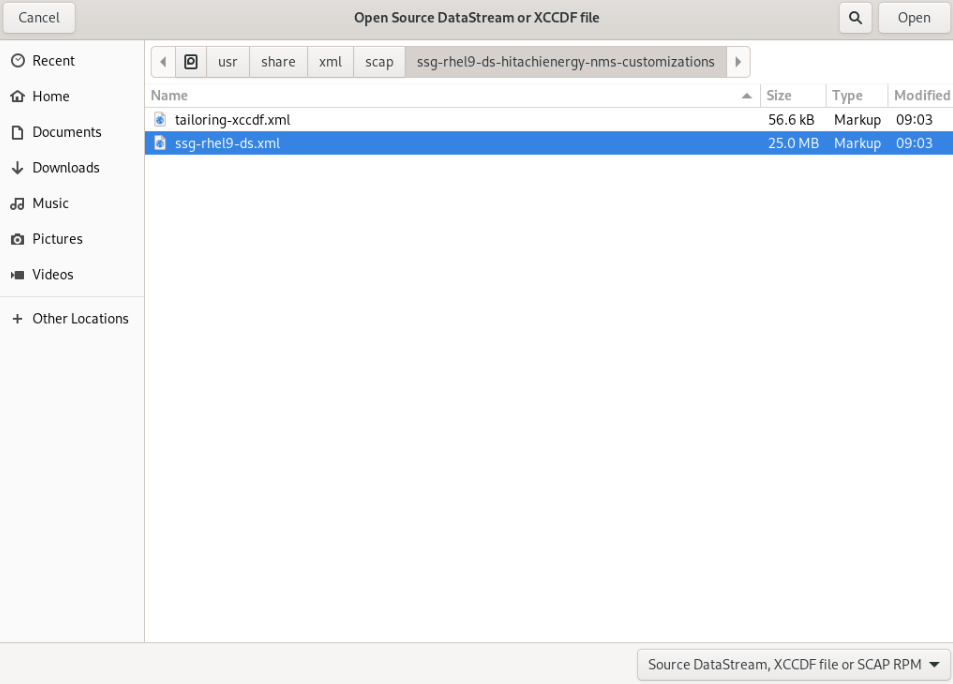
/usr/share/xml/scap/ssg-rhel9-ds-hitachienergy-nms-customizations/ssg-rhel9-ds.xml and open it:
Open customization:
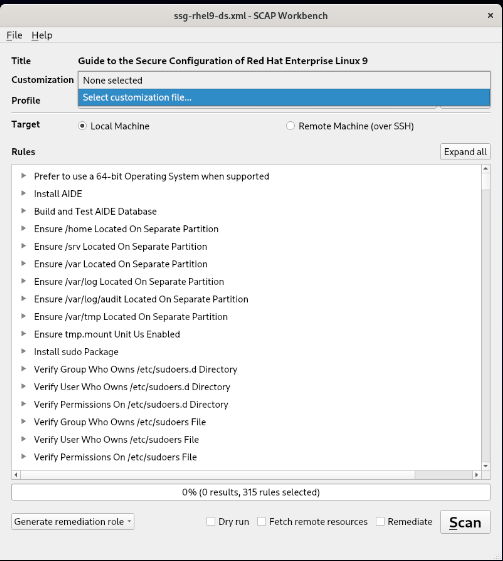
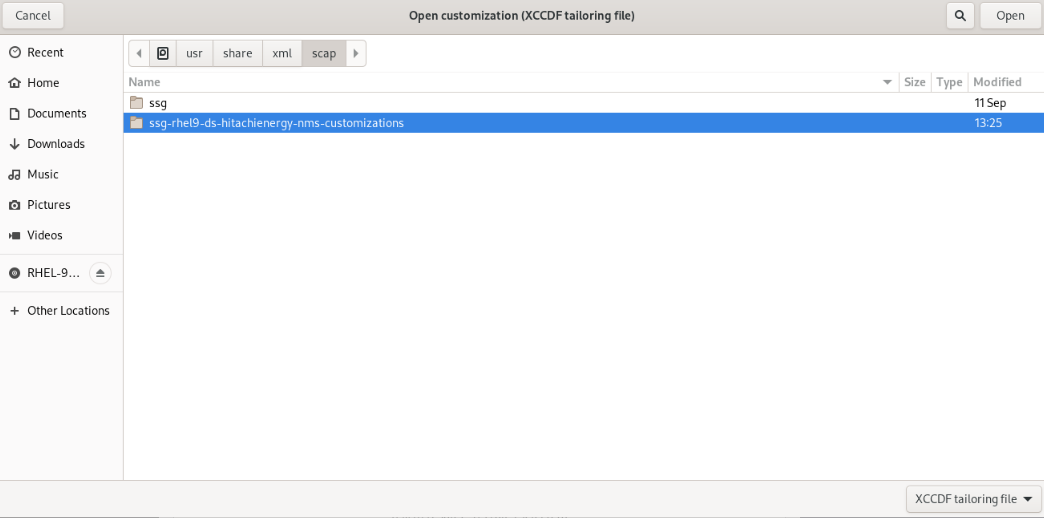
From file dialog navigate to \usr\share\xml\scap\ssg-rhel9-ds-hitachienergy-nms-customizations\tailoring-xccdf.xml file:
Click Ok to check the Remediate option:
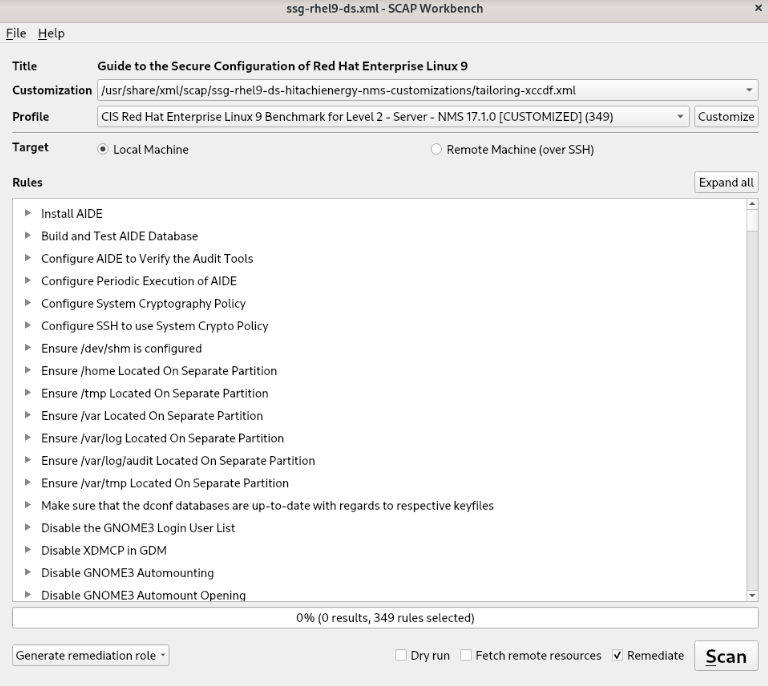
Apply Scan
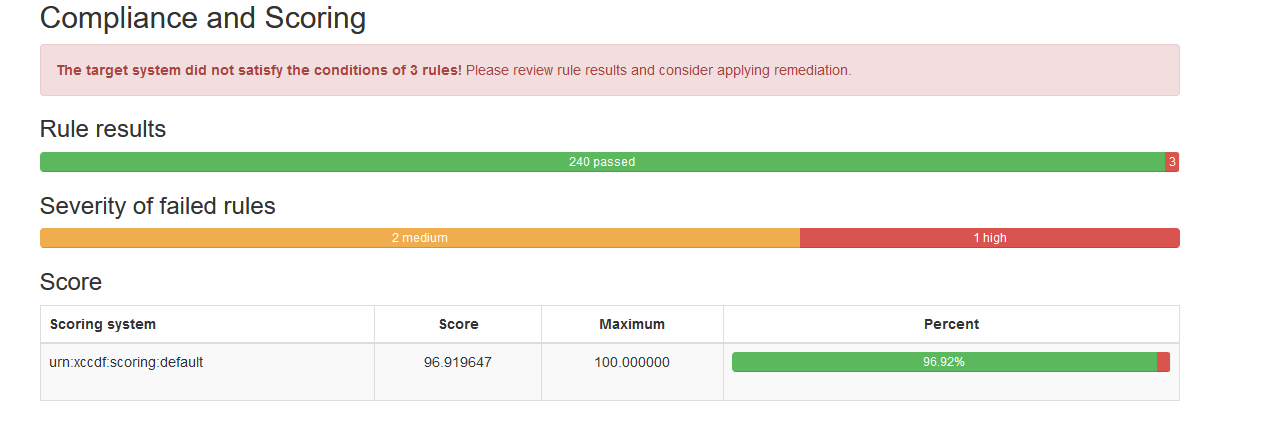
After that check the scoring (the result may be different from the one shown here):
Manual remediation:
Some rules require a manual action because an automatic fix is not supported.
CCE-83849-0
The grub2 boot loader should have a superuser account and password protection enabled to protect boot-time settings.
Since plaintext passwords are a security risk, generate a hash for the password by running the following command:
# grub2-setpassword
When prompted, enter the password that was selected.
Once the superuser password has been added, update the grub.cfg file by running:
# grub2-mkconfig -o /boot/grub2/grub.cfg
Reboot the server.
Check by openscap final result after manual fix.
Run the scap Scan only:
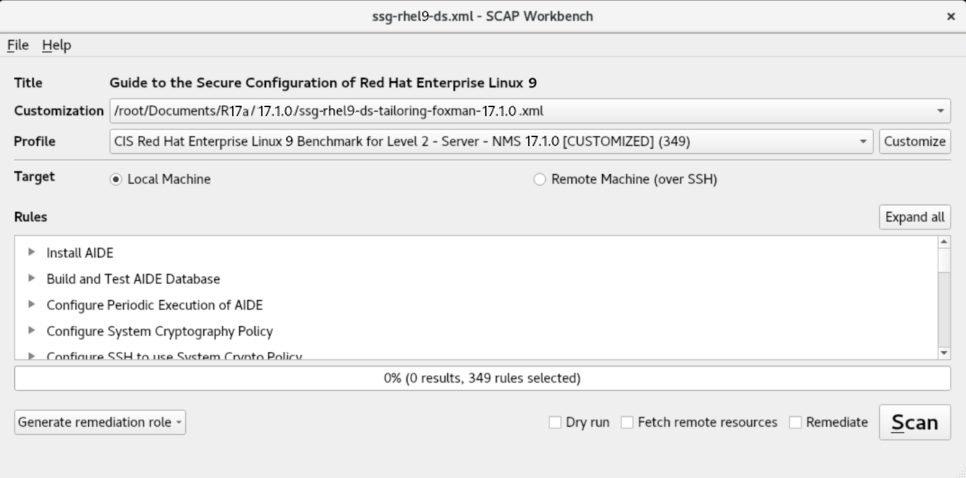
Final score:
Final score can be different from your installation, so a failed analysis is required to define what is expected and what is not.
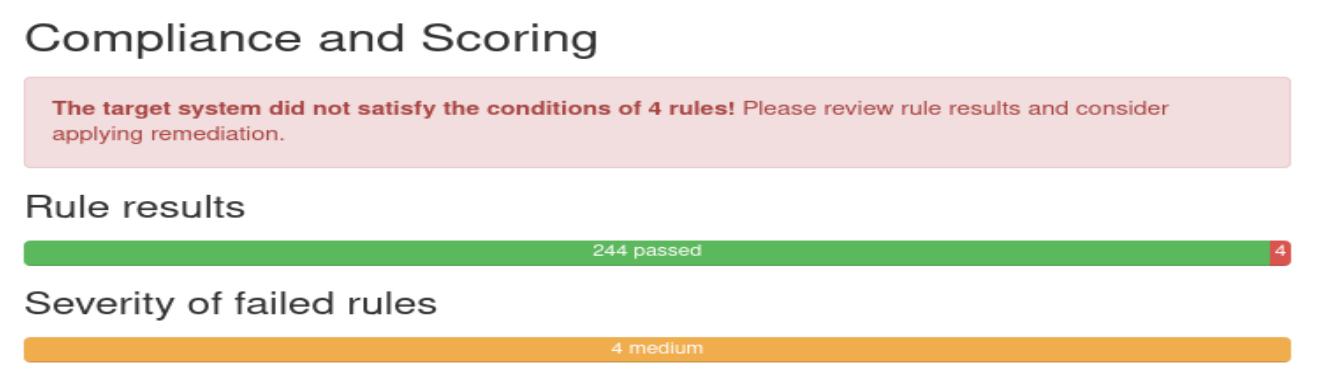
Failed analysis:
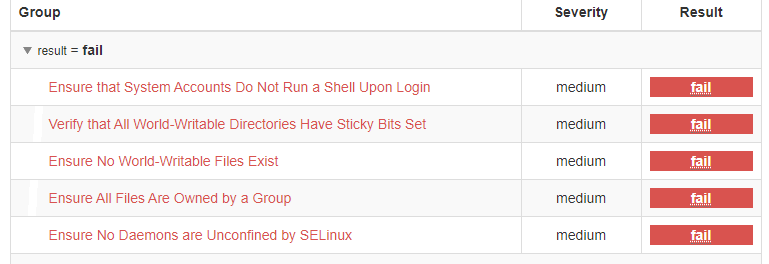
After that, check the scoring.
CCE-83623-9 Ensure that System Accounts Do Not Run a Shell Upon Login
Some accounts are not associated with a human user of the system, and exist to perform some administrative function. Should an attacker be able to log into these accounts, they should not be granted access to a shell.
CCE-83895-3 Verify that All World-Writable Directories Have Sticky Bits Set
When the so-called 'sticky bit' is set on a directory, only the owner of a given file may remove that file from the directory. Without the sticky bit, any user with write access to a directory may remove any file in the directory. Setting the sticky bit prevents users from removing each other's files. In cases where there is no reason for a directory to be world-writable, a better solution is to remove that permission rather than to set the sticky bit. However, if a directory is used by a particular application, consult that application's documentation instead of blindly changing modes.
To set the sticky bit on a world-writable directory DIR, run the following command:
$ sudo chmod +t DIR
CCE-83902-7 Ensure No World-Writable Files Exist
It is generally a good idea to remove global (other) write access to a file when it is discovered. However, check with documentation for specific applications before making changes. Also, monitor for recurring world-writable files, as these may be symptoms of a misconfigured application or user account. Finally, this applies to real files and not virtual files that are a part of pseudo file systems such as sysfs or procfs.
CCE-83906-8 Ensure All Files Are Owned by a Group
If any files are not owned by a group, then the cause of their lack of group-ownership should be investigated. Following this, the files should be deleted or assigned to an appropriate group. The following command will discover and print any files on local partitions which do not belong to a valid group:
$ df --local -P | awk '{if (NR!=1) print $6}' | sudo xargs -I '{}' find '{}' -xdev -nogroup
To search all filesystems on a system including network mounted filesystems the following command can be run manually for each partition:
$ sudo find PARTITION -xdev -nogroup